Compatible with Chrome and Edge
Instruction Guide
We have a simple tutorial guide which explains the features of the software extension and what each button inside the extension does. Read our tutorial and welcome guide on how to use the extension to the fullest. Use all the features of this browser software.
If you are interested in other web extensions to install, you might wish to check out the Microsoft Bing Search with Rewards extension.
Microsoft Bing Search with Rewards Extension
It allows you to complete daily offers to get points.
Track the number of points you have currently and the rewards you can redeem with these points.
The ways to get points & get rewarded is search with Bing, browse with Microsoft Edge and shop at the Microsoft and Windows stores to earn rewards.
Sponsored Link:
Other useful extensions
Another extension which would be useful to install is the iCloud bookmarks extension.
It allows to keep your Chrome bookmarks on Windows synced up with the Safari bookmarks on your iPhone, iPad, and Mac.
iCloud will store your website bookmarks so it is accessible even on your iPhone and Mac.
Try these other two extensions and see if it will boost your daily productivity.
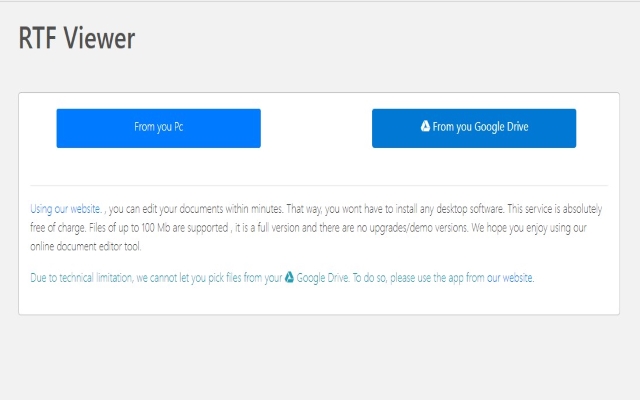
You can edit your documents within minutes. That way, you wont have to install any desktop software. This service is absolutely free of charge. Files of up to 100 Mb are supported , it is a full version and there are no upgrades/demo versions. We hope you enjoy using our online document editor tool.
Features:
Install and open.
- After installing the extension. You click on the icon and can start to open RTF files.
RTF stands for Rich Text Format, a text-based file format that was originally developed by Microsoft. It is used to store documents containing formatted text, graphics, and other embedded objects (like spreadsheets or images).
The RTF format has been around since the early days of computing, and it has been heavily influenced by the more popular WordPerfect application.
RTF files can be opened using any text editor and do not require any special software to read or edit them.
RTF files are primarily used for word processing. They contain inline formatting, text, and images. The RTF format is also known as Rich Text Format and is a standard file format that can be opened by most word processing programs.
DOC files are primarily used for word processing. They contain inline formatting, text, and images. The DOCX file format was introduced in Microsoft Office 2007 and is compatible with previous versions of Word such as Word 2003, Word XP and Word 2000.
RTF vs DOCX: Why You Should Use RTF Over DOCX
The difference between an RTF file and a DOCX file is pretty straightforward: the former has no formatting restrictions while the latter does. This means that if you're working on a project where you want to ensure absolutely everything looks exactly as it should — even when you're sending documents to clients — then your best bet is to use RTF files instead of DOCX ones
Tutorial:
- Install the Extension
- After installing the extension, click on the icon on the toolbar.
Sponsored Link: